

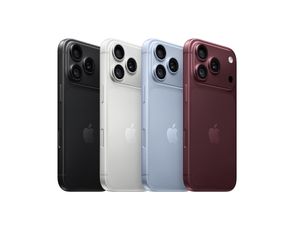
iPhone 18 Pro


Thunderbolt 3 (USB-C) Cable (0.8m)
Highlights:
This 0.8-metre cable supports Thunderbolt 3 data transfer up to 40 Gbps, USB 3.1 Gen 2 data transfer up to 10 Gbps, DisplayPort video output (HBR3) and charging up to 100W. Use this cable to connect a Mac with Thunderbolt 3 (USB-C) / USB 4 ports to Thunderbolt 3 devices such as docks, hard drives and displays. You can daisy-chain up to six Thunderbolt 3 devices.
₹3,900.00

Lightning to 3.5 mm Headphone Jack Adapter
Highlights:
This adapter lets you connect devices that use a 3.5mm audio plug to your Lightning devices.
₹900.00
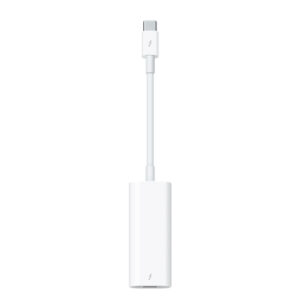
Thunderbolt 3 (USB-C) to Thunderbolt 2 Adapter
Highlights:
The Thunderbolt 3 (USB-C) to Thunderbolt 2 Adapter lets you connect Thunderbolt and Thunderbolt 2 devices — such as external hard drives and Thunderbolt docks — to any of the Thunderbolt 3 (USB-C) / USB 4 ports on your Mac.
As a bidirectional adapter, it can also connect new Thunderbolt 3 devices to a Mac with a Thunderbolt or Thunderbolt 2 port and macOS Sierra or later.
In addition, it can be used to connect Thunderbolt-enabled displays — such as the Apple Thunderbolt Display and LG Thunderbolt 2 displays — to any of the Thunderbolt 3 (USB-C) / USB 4 ports on your Mac. However, using this adapter with an Apple Thunderbolt Display requires a power source, because the display does not provide power through the adapter.
Note: This adapter does not support DisplayPort displays like the Apple LED Cinema Display or third-party DisplayPort and Mini DisplayPort displays. For more information, visit the Apple Support page for the Thunderbolt 3 (USB-C) to Thunderbolt 2 Adapter.
₹4,900.00

USB-C to Lightning Cable (1 m)
Highlights:
Connect your iPhone, iPad or iPod with Lightning connector to your USB-C– or Thunderbolt 3 (USB-C)–enabled Mac for syncing and charging, or to your USB-C–enabled iPad for charging.
You can also use this cable with your Apple 18W, 20W, 29W, 30W, 61W, 87W or 96W USB‑C Power Adapter to charge your iOS device and even take advantage of the fast-charging feature on selected iPhone and iPad models.
₹1,900.00
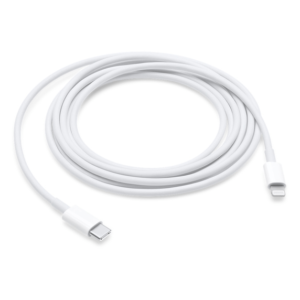
USB-C Charge Cable (1m)
Highlights:
This 1-metre charge cable — with USB-C connectors on both ends — is ideal for charging, syncing and transferring data between USB-C devices. Pair the USB-C Charge Cable with a compatible USB-C power adapter to conveniently charge your devices from a power point and take advantage of fast-charging capabilities. USB-C Power Adapters sold separately.
11-inch iPad Pro (1st and 2nd generation), 12.9-inch iPad Pro (3rd, 4th and 5th generations), iPad Air (4th generation) and iPad mini (6th generation) with the 20W USB-C Power Adapter
₹1,900.00
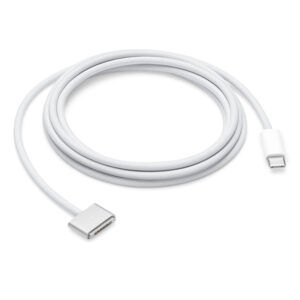
USB-C to Magsafe 3 Cable (2 m)
Highlights:
This 2-metre charge cable features a magnetic MagSafe 3 connector that helps guide the plug to the power port of your MacBook Pro. Pair it with a compatible USB-C power adapter to conveniently charge your MacBook Pro from a power point and take advantage of fast-charging capabilities. The magnetic connection is strong enough to resist most unintended disconnects, but if someone trips on the cable, it releases so your MacBook Pro stays put. An LED turns amber when the battery is charging and green when it’s fully charged. Made with a woven design for long-lasting durability.
USB-C Power Adapter sold separately.
₹4,900.00

140W USB-C Power Adapter
Highlights:
The 140W USB-C Power Adapter offers fast, efficient charging at home, in the office or on the go. It’s compatible with numerous USB-C charging cables. Apple recommends pairing this power adapter with your 16‑inch MacBook Pro (2021) using a USB-C to MagSafe 3 Cable to take advantage of fast charging, so you can go from 0 to 50 per cent charge in around 30 minutes.*︎
Charging cable sold separately.
₹9,500.00

Apple Watch Magnetic Fast Charger to USB-C Cable (1 m)
Highlights:
We wanted to make charging your Apple Watch utterly effortless. And now, it charges up to 33% faster when paired with Apple Watch Series 7, so you can reach 80% charge in about 45 minutes.¹ Simply hold the connector near the back of the watch, where magnets cause it to snap into place automatically. It’s a completely sealed system free of exposed contacts. And it’s very forgiving, requiring no precise alignment.
Fast charging is only compatible with Apple Watch Series 7. Other models will have regular charge times.
₹2,900.00

USB-C Charge Cable (2m)
Highlights:
This 2-metre charge cable — with USB-C connectors on both ends — is ideal for charging, syncing and transferring data between USB-C devices. Pair the USB-C Charge Cable with a compatible USB-C power adapter to conveniently charge your devices from a power point and take advantage of fast-charging capabilities. USB-C Power Adapters sold separately.
₹1,900.00

Thunderbolt 3 Pro Cable (2m)
Highlights:
Featuring a black braided design that coils without tangling, this 2-metre cable supports Thunderbolt 3 data transfer up to 40 Gbps, USB 3.1 Gen 2 data transfer up to 10 Gbps, DisplayPort video output (HBR3) and charging up to 100W. Use this cable to connect a Mac with Thunderbolt 3 (USB‑C)/USB 4 ports to Thunderbolt 3 devices such as Pro Display XDR, docks and hard drives.
₹12,900.00

67W USB-C Power Adapter
Highlights:
The 67W USB-C Power Adapter offers fast, efficient charging at home, in the office or on the go. It’s compatible with numerous USB-C devices and charging cables. Apple recommends pairing this power adapter with your 13-inch MacBook Pro (2016 and later) or your 14-inch MacBook Pro with M1 Pro chip with 8-core CPU.
Charging cable sold separately.
₹5,800.00

Power Adapter Extension Cable
Highlights:
The 1.8-metre Power Adapter Extension Cable is an AC extension lead that provides extra length for your Apple power adapter. Use it with MagSafe and MagSafe 2 power adapters, 10W and 12W USB-A power adapters and 29W, 30W, 61W, 67W, 87W, 96W and 140W USB-C power adapters.
₹1,900.00
Filter by Color
- Abyss Blue 1
- Baltic Blue 2
- Black 8
- Black Titanium 2
- Blue 19
- Blue Titanium 1
- California Poppy 2
- Capri Blue 1
- Chalk Pink 1
- Dark Cherry 1
- Electric Orange 1
- Gold 4
- Golden Brown 1
- Green 4
- Lemon Zest 2
- Marigold 1
- Midnight 15
- Midnight Aluminium 1
- Natural Titanium 1
- Nectarine 2
- Orange 3
- Pink 9
- Pink Citrus 1
- Pink Pomelo 1
- Purple 10
- Red 1
- Red 3
- Red 2
- Rose Gold 2
- Silver 42
- Silver Aluminium 1
- Sky Blue 5
- Space Black 12
- Space Grey 25
- Starlight 15
- Starlight Aluminium 2
- Sunflower 2
- White 6
- White Titanium 1
- Yellow 4
- Blush 1
- Burgundy 2
- Ceramic Cinnabar 1
- Citrus 1
- Cloud White 1
- CNC Aluminium 1
- CNC Black Nickel 1
- CNC Copper 1
- Cosmic Orange 2
- Deep Blue 2
- Desert Titanium 1
- Glacier 2
- Indigo 1
- Jet Black 1
- Lavender 1
- Light Gold 1
- Mist Blue 1
- Sage 1
- Soft Pink 1
- Teal 1
- Ultramarine 2
Filter by price
Filter by Network
- GPS (10)
- GPS + Cellular (11)
- Wi-Fi (18)
- Wi-Fi + Cellular (17)
Product categories
- Accessories
- Air Purifiers
- AirPod Accesories
- AirPods
- AirPods
- AirPods - 3rd generation
- AirPods Pro
- AirPods Pro 3
- AirTag
- APPLE ACCESSORIES
- Apple TV 4K
- Apple Watch
- Apple Watch Series 9
- Apple Watch Ultra
- Customize
- Dyson
- Hair Care
- Headphones & Speakers
- Home
- Home View
- HomePod mini
- HomePod Mini 2
- Hot Deals
- iMac
- iMac 24"
- iPad
- iPad
- iPad 10th Gen
- iPad 9th Gen.
- iPad Accessories
- iPad Air
- iPad Mini
- iPad Pro
- iPhone
- iPhone
- iPhone 13
- iPhone 15
- iPhone 15
- iPhone 15 Pro
- iPhone 16
- iPhone 17
- iPhone Air
- iPod Touch
- Lighting
- Mac
- Mac
- Mac
- Mac
- Mac Mini
- Mac Studio
- Mac Studio
- MacBook Air
- MacBook Air
- MacBook Pro
- MacBook Pro 13"
- Music
- Power & Cables
- Prebook
- Uncategorized
- Vaccum Cleaners
- Watch
- Watch
- Watch 10
- Watch SE3
- Watch Series 11
- Watch Series 12
- Watch Ultra 3
- Wearables