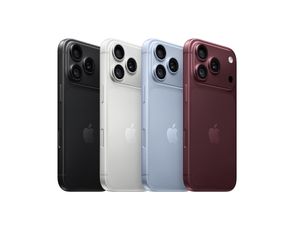
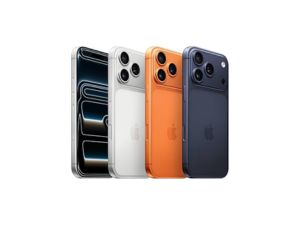
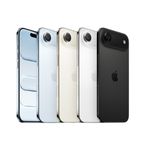
iPhone 18 Pro
USB C TO APPLE PENCIL ADAPTER
₹900.00
Price Summary
- ₹900.00
- ₹900.00
- ₹900.00
Apple USB Type-C to Lightning Pairing and Charging Pencil Adapter
(MQLU3ZM/A) White
Related Products
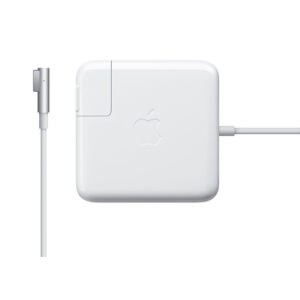
Apple 85W MagSafe 2 Power Adapter (for MacBook Pro with Retina display)
The 85W MagSafe 2 Power Adapter features a magnetic DC connector so if someone trips over it, the lead disconnects harmlessly and your MacBook Pro stays put safely. It also helps prevent fraying or weakening of the cables over time. In addition, the magnetic DC helps guide the plug into the system for a quick and secure connection.
When the connection is secure, an LED located at the head of the DC connector lights up; an amber light lets you know that your notebook is charging, while a green light tells you that you have full charge. An AC lead is provided with the adapter for maximum lead length, while the AC wall adapter (also provided) gives you an even easier and more compact way to travel.
Designed to be the perfect travelling companion, the adapter has a clever design that allows the DC cable to be wound neatly around itself for easy cable storage.
This power adapter recharges the lithium polymer battery while the system is off, on or in sleep mode. It also powers the system if you choose to operate without a battery.
Compatible with MacBook Pro with Retina display.
Lightning to USB3 Camera Adapter
With the Lightning to USB 3 Camera Adapter, it’s easy to transfer photos and videos from your high-resolution digital camera to your iPad Pro. After you connect the Lightning to USB 3 Camera Adapter, your iPad Pro automatically opens the Photos app, which lets you choose photos and videos to import, then organises them into albums.
Thunderbolt 3 Pro Cable (2m)
Featuring a black braided design that coils without tangling, this 2-metre cable supports Thunderbolt 3 data transfer up to 40 Gbps, USB 3.1 Gen 2 data transfer up to 10 Gbps, DisplayPort video output (HBR3) and charging up to 100W. Use this cable to connect a Mac with Thunderbolt 3 (USB‑C)/USB 4 ports to Thunderbolt 3 devices such as Pro Display XDR, docks and hard drives.
Thunderbolt to Gigabit Ethernet Adapter
The Apple Thunderbolt to Gigabit Ethernet Adapter lets you easily connect to a high-performance Gigabit Ethernet network. Small and compact, it connects to the Thunderbolt port on your Mac computer and provides an RJ-45 port that supports 10/100/1000BASE-T networks.
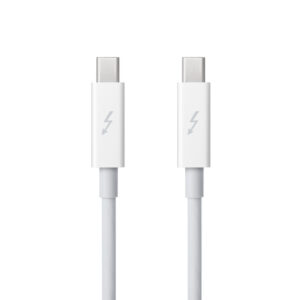
Apple Thunderbolt cable (2.0 m)
Thunderbolt technology supports fast data transfers with two independent channels of 10 Gbps each. And Thunderbolt 2 technology can bond the two channels for a super-fast 20 Gbps. Use this cable to connect Thunderbolt-enabled devices to the Thunderbolt or Thunderbolt 2 port on your Mac.
Apple 60W MagSafe Power Adapter (for previous generation 13.3-inch MacBook and 13-inch MacBook Pro)
The 60 Watt MagSafe Power Adapter features a magnetic DC connector that ensures your power cable will disconnect if it experiences undue strain and helps prevent fraying or weakening of the cables over time. In addition, the magnetic DC helps guide the plug into the system for a quick and secure connection.
When the connection is secure, an LED located at the head of the DC connector will light up; an amber light lets you know that your portable is charging, while a green light tells you that you have a full charge. An AC lead is provided with the adapter for maximum lead length, while the AC wall adapter (also provided) gives users an even easier and more compact way to travel.
Designed to be the perfect travelling companion, the adapter has a clever design that allows the DC cable to be wound neatly around itself for easy cable storage.
This power adapter recharges the lithium polymer battery while the system is off, on, or in sleep mode. It also powers the system if you choose to operate without a battery.
Compatible with MacBook and 13-inch MacBook Pro.
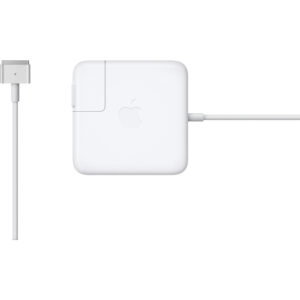
Apple 45W MagSafe 2 Power Adapter (for MacBook Air)
The 45W MagSafe 2 Power Adapter features a magnetic DC connector so if someone should trip over it, the cord disconnects harmlessly and your MacBook Air stays put safely. It also helps prevent fraying or weakening of the cables over time. In addition, the magnetic DC helps guide the plug into the system for a quick and secure connection.
When the connection is secure, an LED located at the head of the DC connector lights up; an amber light lets you know that your notebook is charging, while a green light tells you that you have a full charge. An AC lead is provided with the adapter for maximum lead length, while the AC wall adapter (also provided) gives you an even easier and more compact way to travel.
Designed to be the perfect travelling companion, the adapter has a clever design that allows the DC cable to be wound neatly around itself for easy cable storage.
This power adapter recharges the lithium polymer battery while the system is off, on or in sleep mode. It also powers the system if you choose to operate without a battery.
Compatible only with MacBook Air featuring MagSafe 2 power port.
Power Adapter Extension Cable
The 1.8-metre Power Adapter Extension Cable is an AC extension lead that provides extra length for your Apple power adapter. Use it with MagSafe and MagSafe 2 power adapters, 10W and 12W USB-A power adapters and 29W, 30W, 61W, 67W, 87W, 96W and 140W USB-C power adapters.
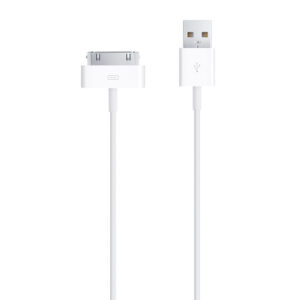
Apple 30-pin to USB Cable
This USB 2.0 cable connects your iPod, iPhone, or iPad — directly or through a dock — to your computer’s USB port for efficient syncing and charging or to the Apple USB Power Adaptor for convenient charging from a wall outlet.
Lightning to SD Card Camera Reader
With the Lightning to SD Card Camera Reader, it’s easy to download photos and videos from your digital camera to your iPad or iPhone so you can view them on the gorgeous Retina display and share them with family and friends.
Apple 85W MagSafe Power Adapter (for 15- and 17-inch MacBook Pro)
Knowing which specific Mac model you have is important. If you are running OS X Lion (10.7) or later, go to the “” menu at the top left of your screen, choose “About this Mac” then click the “More Info…” button. Your Mac model and generation will be displayed.
If you are running an earlier version of OS X, you can enter your serial number here to find out which model you have.
USB-C VGA Multiport Adapter
The USB-C VGA Multiport Adapter lets you connect your USB-C or Thunderbolt 3 (USB-C) enabled Mac and iPad Pro to a VGA display, while also connecting a standard USB device and a USB-C charging cable.