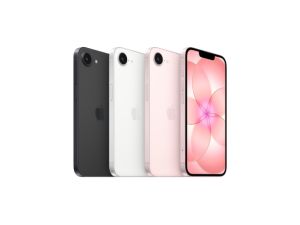
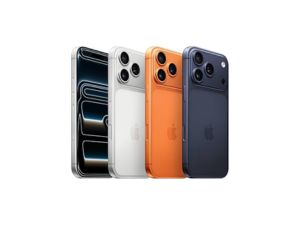
iPhone 17e
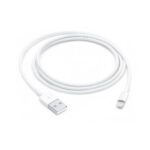
Lightning to USB Cable (1m)
₹1,800.00
Price Summary
- ₹1,800.00
- ₹1,800.00
- ₹1,800.00
This USB 2 cable connects your device with Lightning connector to your computer’s USB port for syncing and charging. Or you can connect to the Apple USB Power Adapter for convenient charging from a power socket.*
Related Products
MagSafe Charger
The MagSafe Charger makes wireless charging a snap. The perfectly aligned magnets attach to your iPhone 13, iPhone 13 Pro, iPhone 12 and iPhone 12 Pro, and provide faster wireless charging up to 15W.
The MagSafe Charger maintains compatibility with Qi charging, so it can be used to wirelessly charge your iPhone 8 or later, as well as AirPods models with a wireless charging case, as you would with any Qi-certified charger.
The magnetic alignment experience only applies to iPhone 13, iPhone 13 Pro, iPhone 12 and iPhone 12 Pro models.
Recommended: 20W USB-C Power Adapter (sold separately)
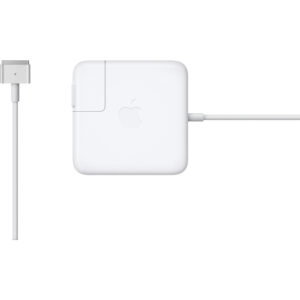
Apple 85W MagSafe 2 Power Adapter (for MacBook Pro with Retina display)
The 85W MagSafe 2 Power Adapter features a magnetic DC connector so if someone trips over it, the lead disconnects harmlessly and your MacBook Pro stays put safely. It also helps prevent fraying or weakening of the cables over time. In addition, the magnetic DC helps guide the plug into the system for a quick and secure connection.
When the connection is secure, an LED located at the head of the DC connector lights up; an amber light lets you know that your notebook is charging, while a green light tells you that you have full charge. An AC lead is provided with the adapter for maximum lead length, while the AC wall adapter (also provided) gives you an even easier and more compact way to travel.
Designed to be the perfect travelling companion, the adapter has a clever design that allows the DC cable to be wound neatly around itself for easy cable storage.
This power adapter recharges the lithium polymer battery while the system is off, on or in sleep mode. It also powers the system if you choose to operate without a battery.
Compatible with MacBook Pro with Retina display.
Thunderbolt to Gigabit Ethernet Adapter
The Apple Thunderbolt to Gigabit Ethernet Adapter lets you easily connect to a high-performance Gigabit Ethernet network. Small and compact, it connects to the Thunderbolt port on your Mac computer and provides an RJ-45 port that supports 10/100/1000BASE-T networks.
Power Adapter Extension Cable
The 1.8-metre Power Adapter Extension Cable is an AC extension lead that provides extra length for your Apple power adapter. Use it with MagSafe and MagSafe 2 power adapters, 10W and 12W USB-A power adapters and 29W, 30W, 61W, 67W, 87W, 96W and 140W USB-C power adapters.
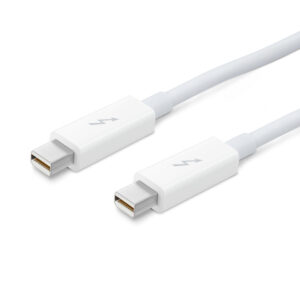
Apple Thunderbolt cable (2.0 m)
Thunderbolt technology supports fast data transfers with two independent channels of 10 Gbps each. And Thunderbolt 2 technology can bond the two channels for a super-fast 20 Gbps. Use this cable to connect Thunderbolt-enabled devices to the Thunderbolt or Thunderbolt 2 port on your Mac.
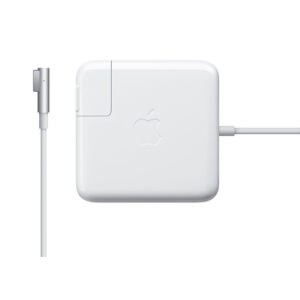
Apple 45W MagSafe Power Adapter for MacBook Air
The 45-Watt MagSafe Power Adapter for MacBook Air features a magnetic DC connector that ensures your power cable will disconnect if it experiences undue strain, and helps prevent fraying or weakening of the cables over time. In addition, the magnetic DC helps guide the plug into the system for a quick and secure connection.
When the connection is secure, an LED located at the head of the DC connector will light up; an amber light lets you know that your portable is charging, while a green light tells you that you have a full charge. An AC lead is provided with the adapter for maximum lead length, while the AC wall adapter (also provided) gives users an even easier and more compact way to travel.
Redesigned specifically for MacBook Air, the adapter is the perfect travelling companion. It has a clever design that allows the DC cable to be wound neatly around itself for easy cable storage.
This power adapter recharges the lithium polymer battery while the system is off, on, or in sleep mode. It also powers the system if you choose to operate without a battery.
Compatible only with MacBook Air with MagSafe Power Port.

USB-C to USB Adapter
The USB-C to USB Adapter lets you connect iOS devices and many of your standard USB accessories to a USB-C– or Thunderbolt 3 (USB-C)–enabled Mac.
67W USB-C Power Adapter
The 67W USB-C Power Adapter offers fast, efficient charging at home, in the office or on the go. It’s compatible with numerous USB-C devices and charging cables. Apple recommends pairing this power adapter with your 13-inch MacBook Pro (2016 and later) or your 14-inch MacBook Pro with M1 Pro chip with 8-core CPU.
Charging cable sold separately.
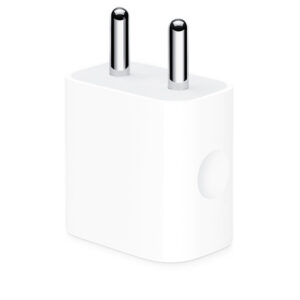
Apple 12W USB Power Adapter
Use this compact and convenient USB-based power adapter to charge your iPhone, iPad or iPod with Lightning connector at home, on the road or whenever it’s not connected to a computer. You can connect the adapter directly to your device via the Lightning connector.
Featuring a compact design, this power adapter offers fast, efficient charging.
Charging cable sold separately.
20W USB-C Power Adapter
The Apple 20W USB‑C Power Adapter offers fast, efficient charging at home, in the office, or on the go. While the power adapter is compatible with any USB‑C-enabled device, Apple recommends pairing it with the iPad Pro and iPad Air for optimal charging performance. You can also pair it with iPhone 8 or later to take advantage of the fast-charging feature.
Charging cable sold separately.
Apple iPhone TTY Adapter
This adapter lets you use your iPhone with standard TTY devices. Just plug the cable from your TTY device into one end of the iPhone TTY Adapter, then plug the other end of the adapter into your iPhone.
Lightning to USB Cable (0.5 m)
This USB 2.0 cable connects your iPhone, iPad or iPod with Lightning connector to your computer’s USB port for syncing and charging. Or you can connect to the Apple USB Power Adapter for convenient charging from a wall outlet.*
Recently Viewed
USB-C to USB Adapter
The USB-C to USB Adapter lets you connect iOS devices and many of your standard USB accessories to a USB-C– or Thunderbolt 3 (USB-C)–enabled Mac.
Lightning to 3.5mm Audio Cable (1.2m) – Black
This bi-directional cable can be used with both 3.5mm audio-out and audio-in ports, allowing you to connect your AirPods Max or Beats Solo Pro headphones to 3.5mm audio sources, or to connect your iOS or iPadOS device to speakers with 3.5mm audio ports.
Using with AirPods Max or Beats Solo Pro
Connect your AirPods Max or Beats Solo Pro headphones to the audio-out port on an aeroplane, iPhone, iPad, Mac or other device.
Using with iPhone or iPad
Connect your iOS or iPadOS device to the audio-in port on your car stereo or other speaker.


There are no reviews yet.